UpdatesLast updated on Sep 24, 2025

Product Updates

Discover the latest features, improvements and fixes to the Kabeen platform.

ProductImprovement

Kabeen - Release Note - September 2025

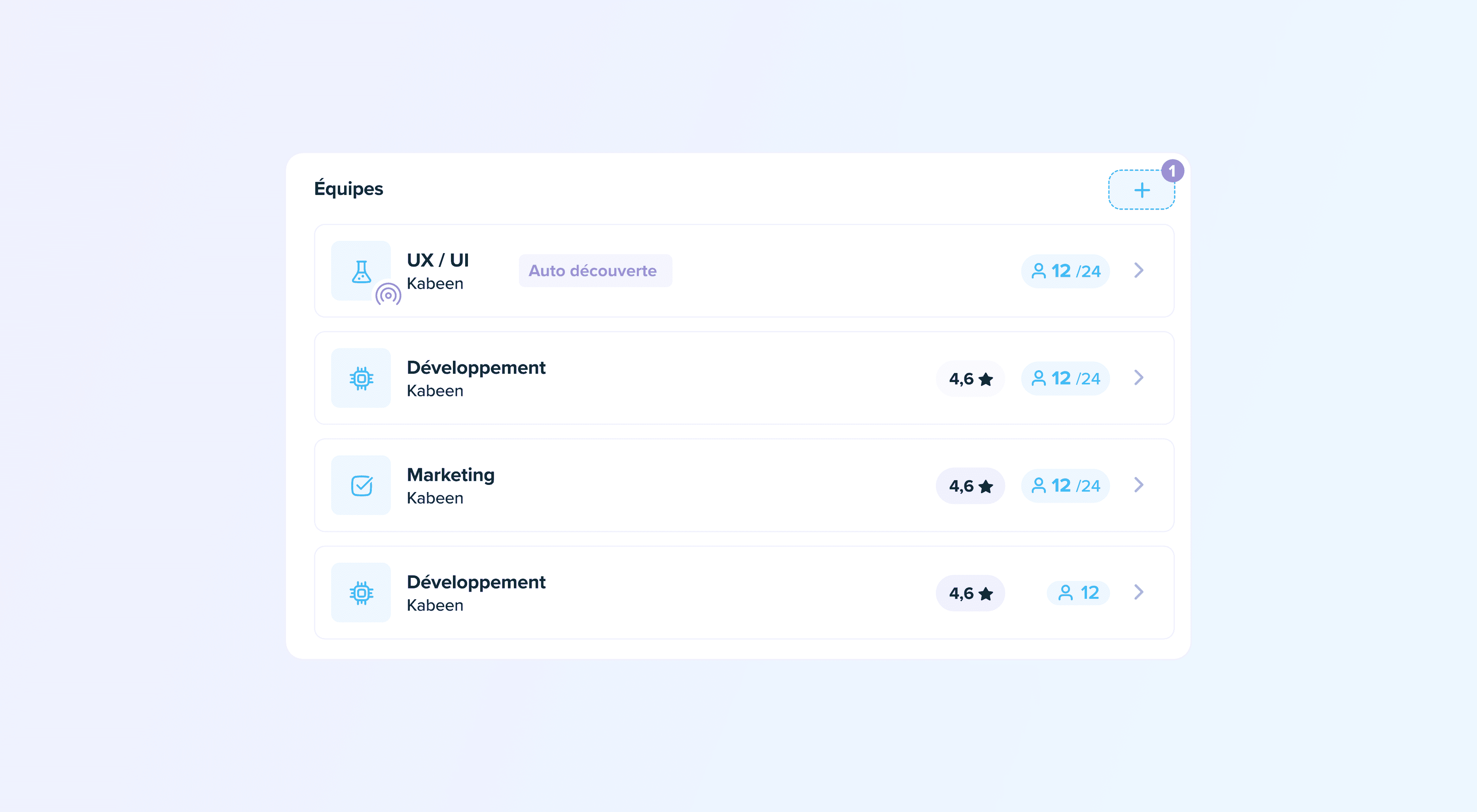
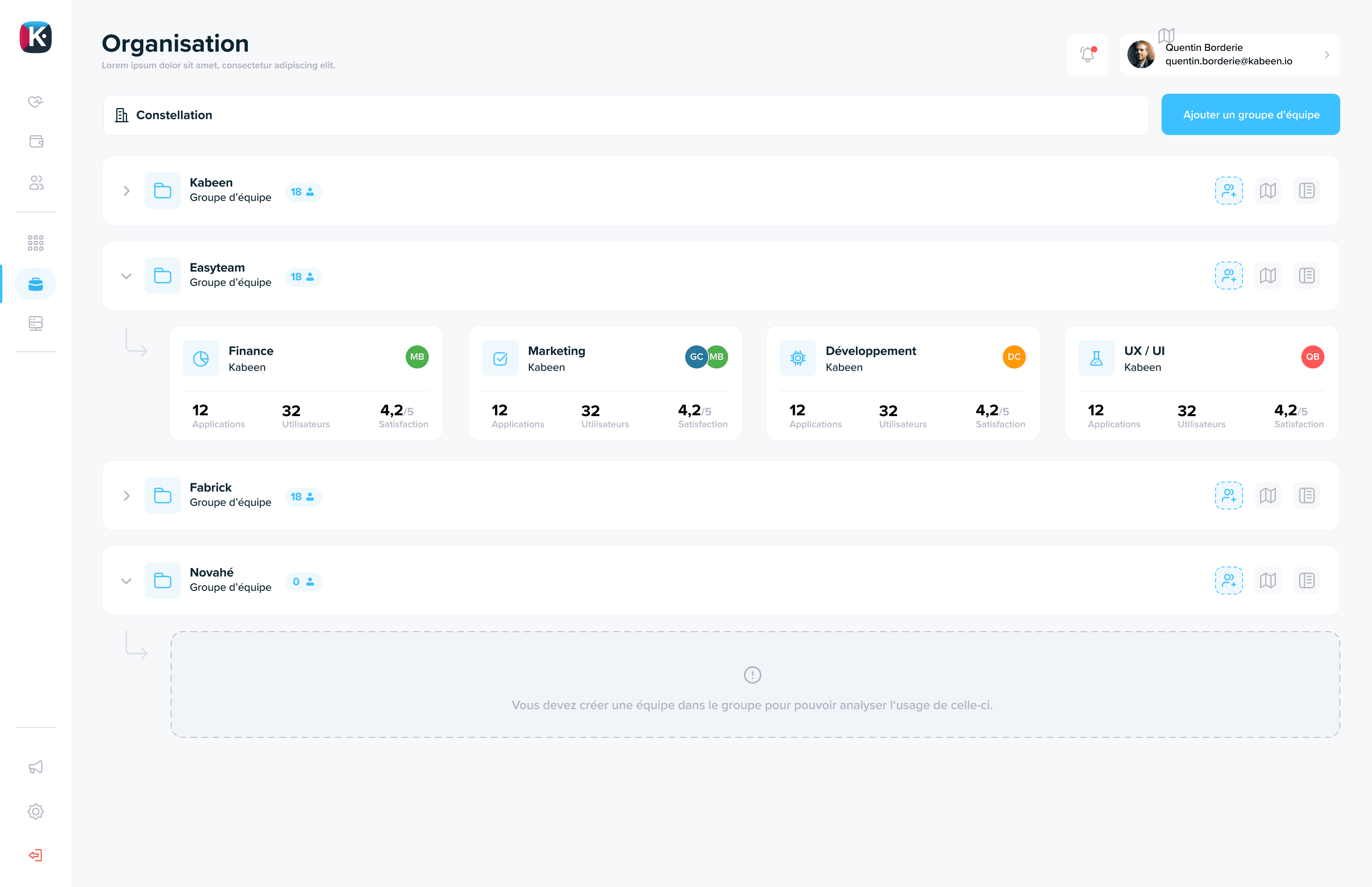
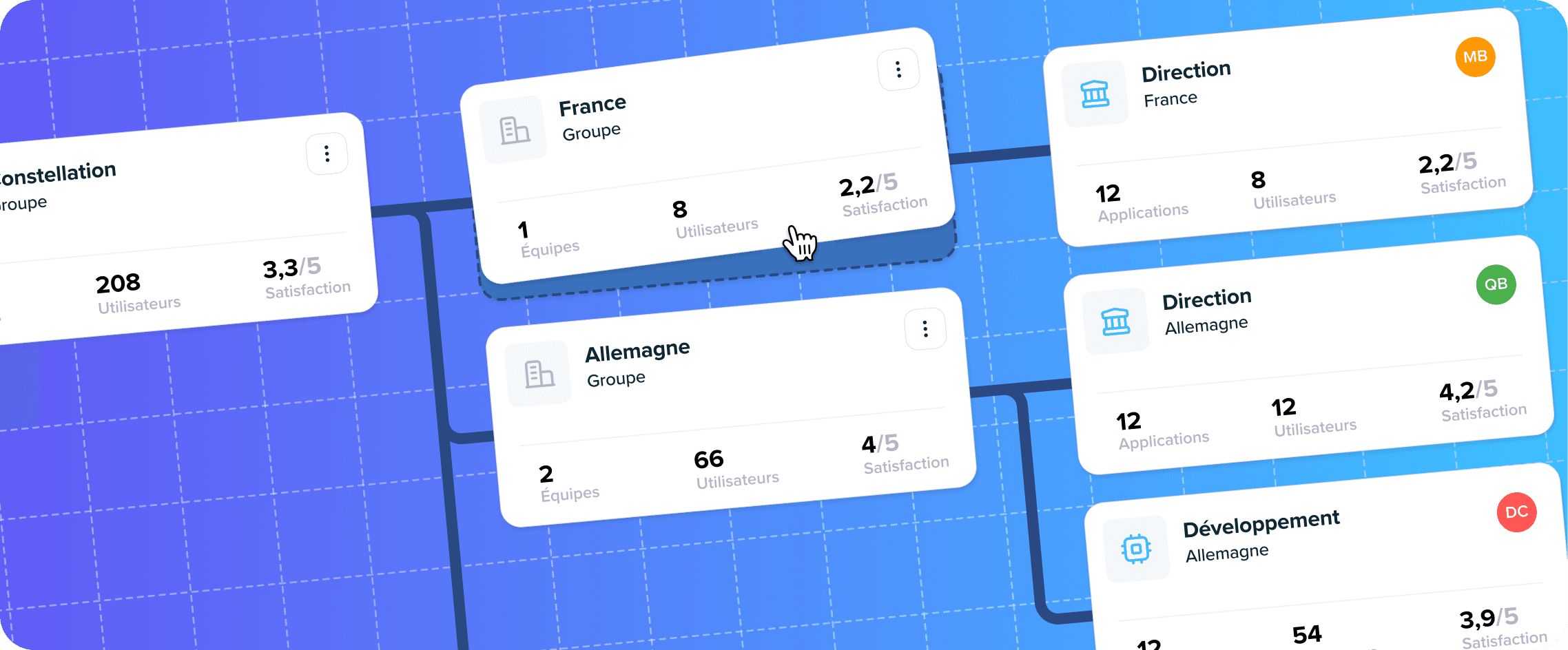
Organization V2

This September 2025 update brings major enhancements centered around Organization V2 - a complete overhaul of the organizational management screen that finally delivers the flexibility and performance you've been asking for.

Key Feature: Organization V2

A completely redesigned interface

After months of development and based on client feedback, the Organization screen undergoes a revolution. This V2 brings the long-awaited flexibility to model your organizational structure with precision.

Major improvements:

  • Unlimited hierarchy - Represent your organization at as many levels as needed, without depth constraints
  • Modern interface - Consistent design with Kabeen's overall evolution, clearer and more intuitive
  • Direct navigation - Browse your structure faster thanks to redesigned ergonomics
  • Optimized performance - Near-instantaneous panel opening, even on complex structures

Real impact: Whether you manage an SME or a large corporation, Organization V2 adapts to your organizational reality and facilitates the association of budgets, users, and applications to the right structure.

Contracts: Complete overhaul

Gone are the sometimes confusing "contract natures." Welcome 8 clear contract types, each with its distinctive icon:

  • Simplified and intuitive input
  • Immediate contract type recognition
  • Smoother application cost tracking
  • Better structured distributions

This overhaul is part of our continuous improvement approach to financial management in Kabeen.

Optimized filters and search

Applications: Advanced filters

Application table filters have been enriched to allow you to precisely target relevant applications according to your analysis criteria.

Redesigned filter bar

The ergonomics and clarity of the filter bar have been improved: you find faster, you understand faster.

Dedicated user search

A new search bar allows you to instantly find tenants associated with a specific user.

Enhanced capabilities and reporting

High-definition capability map

The mapping of your functional capabilities benefits from significantly superior resolution and readability, for finer analysis of your functional architecture.

Reporting: Enriched filters

Reporting filters align with your analysis usage: more finesse, less friction in your data exploration journeys.

Performance and fluidity

General responsiveness

  • Organization panel: substantial reactivity gain, approaching instant opening
  • Application header: accelerated display even after several successive manipulations
  • Capability map: automatic refresh, no need to think about refreshing

Functional improvements

Simplified flow editing

The flow editor has been improved for more comfortable editing and fewer errors. Clearer interface, more intuitive manipulation.

Contextual data addition

Add data without leaving the application context. More direct and incredibly practical for keeping your documentation up to date.

Automated account hygiene

Users inactive for more than 30 days are no longer included in statistics and analyses, for more representative data.

Important fixes

  • "Discovered" application tracking: consistent and reliable metrics for auto-detected applications
  • Storage display: correct and up-to-date values in user workstation tables
  • Anonymous user reports: resolution of "noise" problem linked to anonymous accounts
  • Agent CPU consumption: much lighter operation on user machines

Your turn!

Organization V2 is the result of your feedback and our vision of a Kabeen always better suited to your needs. Explore this new interface, test its flexibility, and don't hesitate to share your impressions with us.

Your feedback guides our future developments. Together, we continue to make Kabeen the reference solution for managing your information system.

See you very soon!
Read more
PlatformDiagrams

Kabeen - Platform Release Note - June 2025

Capacity Map

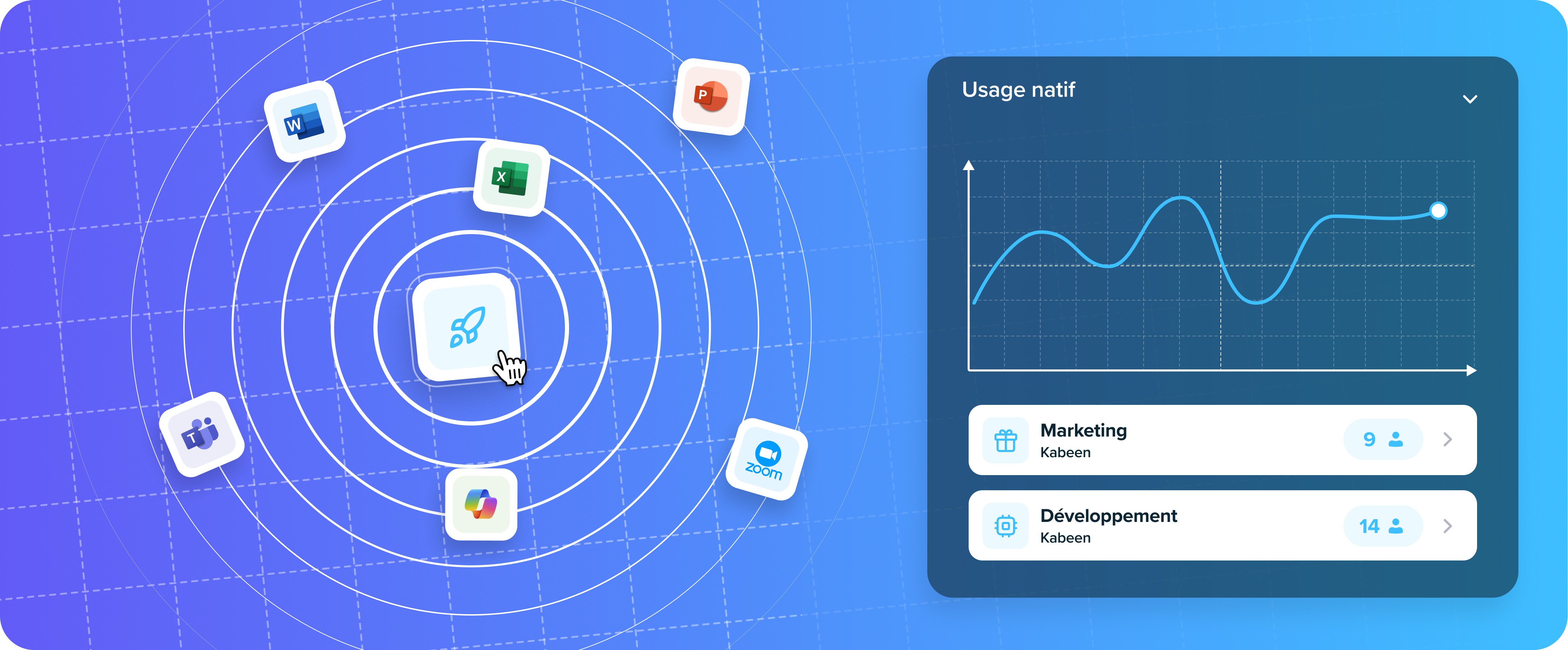
This month, Kabeen takes a major step forward in functional analysis of your information system. A new visual map, technical enhancements, and a smoother user experience are all part of this release.

Major New Feature

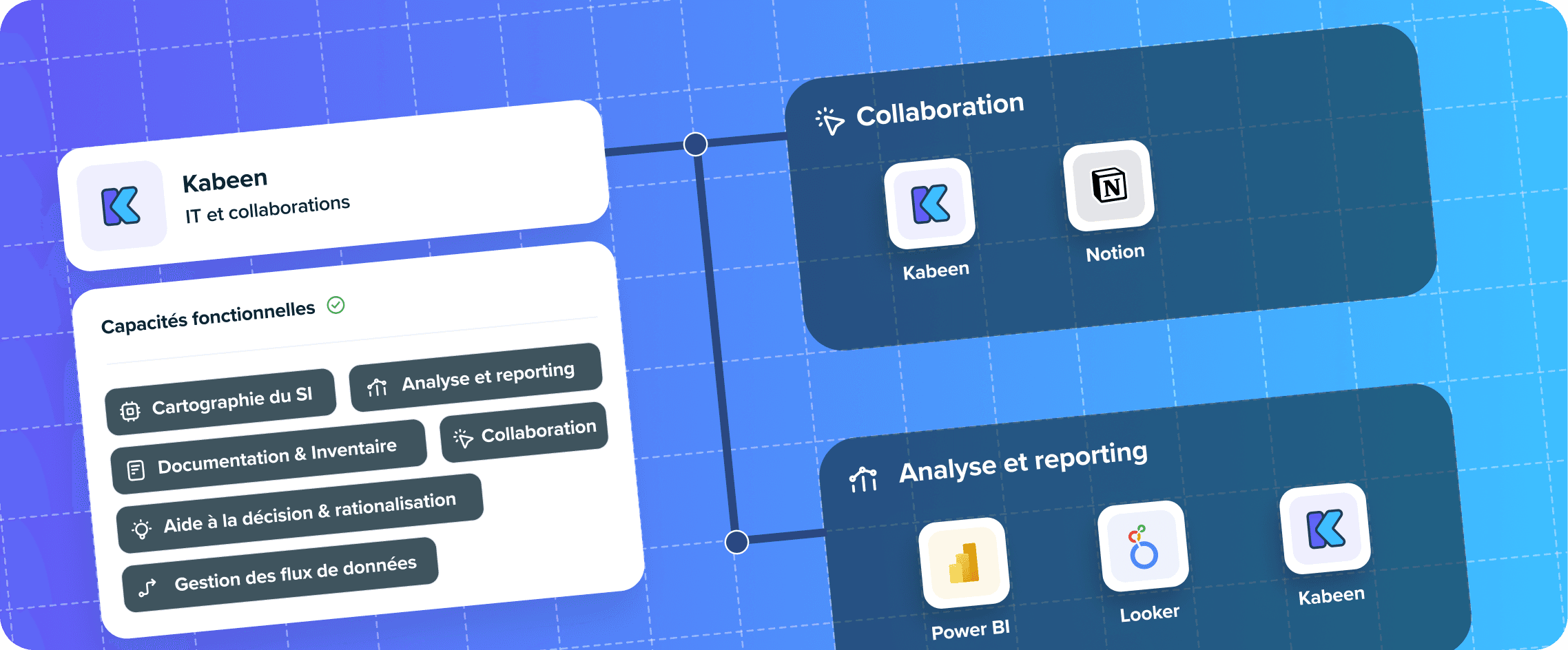
Functional Capabilities and Capacity Map

You can now associate one or more functional capabilities to each application (for example: "payroll management," "time tracking," "sales prospecting"…).

A new Capacity Map provides a clear visual of these connections, linking business functions, usage, and tools in a unified view.

What this enables you to do:

  • Better understand the purpose of each application
  • Identify redundancies and gaps in your IT landscape
  • Facilitate collaboration between IT and business teams with a shared understanding
  • Prepare rationalization and transformation plans more effectively

👉 Available under the Diagrams > Capacity Map tab.

Access & Security

New Read-Only Role

A new "read-only" role is now available for users who need access to information without the ability to modify it.

Catalog & Applications

Fixed: Application Addition

A bug that prevented applications from being added from the catalog has been resolved.

Custom Selection of Displayed Applications

You can now filter which applications are shown in the employee browser extension. Choose to share all applications, only those from the team, or select specific ones from a list.

Financial Optimizations Reactivated

Automatic financial optimization suggestions are now working correctly again.

Infrastructure

PostgreSQL 17 Upgrade

We've migrated our database to PostgreSQL 17, improving performance and compatibility across our platform.

User Experience

Profile Name Editing

Users can now change their own profile name directly from the interface.

Got feedback or questions? Reach out directly via the platform or at support@kabeen.io.

See you in the next version!

Read more
Release NoteInfrastructure

Kabeen - Release Note - May 2025

Kabeen Release Note May 2025

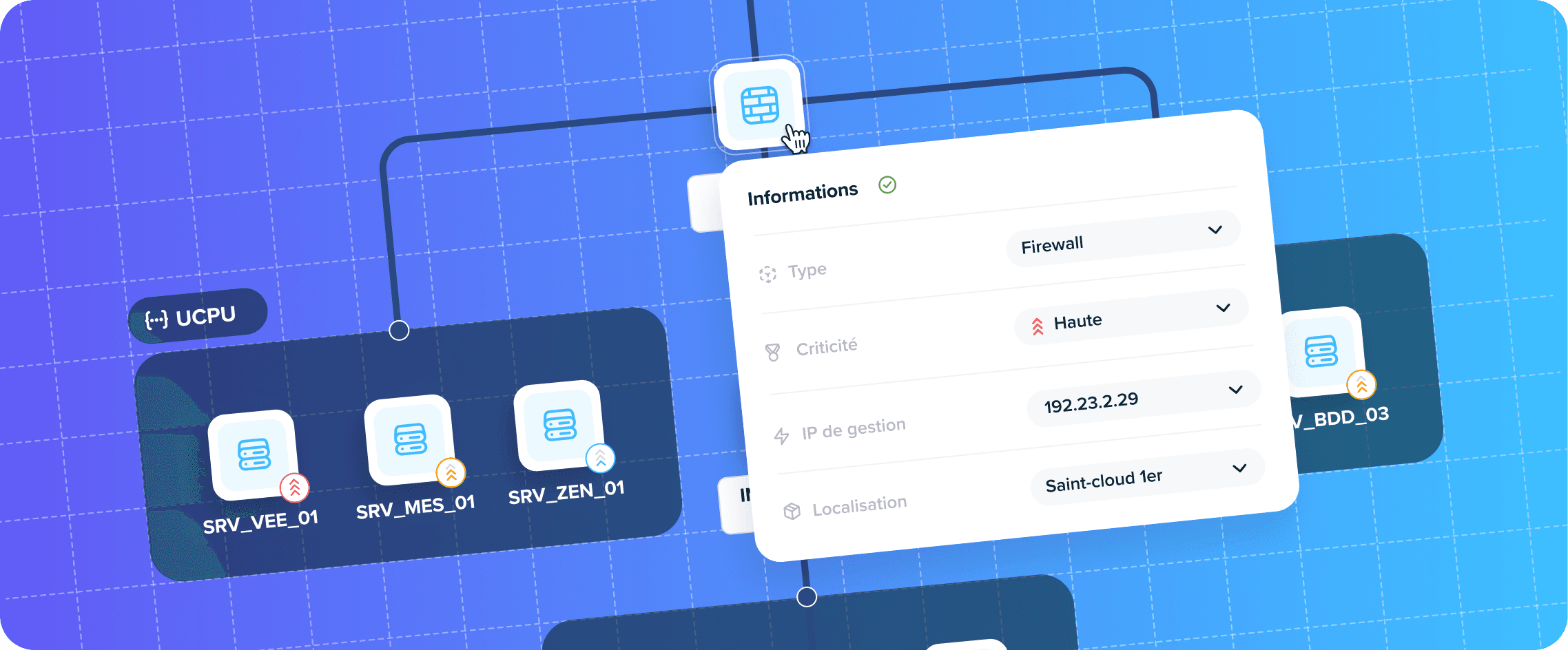
This monthly edition marks a major milestone: Kabeen introduces an "Infrastructure Diagrams" view that provides, at a glance, the complete map of your IT environment.

✨ Key Features

Interactive Infrastructure Diagrams

Visualize all your networks, from routers to VMs, on a dynamic diagram:

  • Free zoom & exploration – navigate through the map, open details for each node.
  • Always up-to-date diagram – automatically fed by inventory discovery.
  • Bridge between technical and business – overlay application flows and dependencies to connect infrastructure and business.

Agent Deployment Tracking

A new screen centralizes the entire lifecycle of your agents 💻:

  • List of devices, version, last contact, and health status.
  • Quick filters to spot offline endpoints or those behind on updates.
  • More explicit messages when a new version is available.

Application Descriptions, Revisited

Documenting has never been smoother 📄:

  • The description now appears at the top of the application card, always visible.
  • Instant editing: one click, you type, it's saved.
  • Rich text area to highlight functional context, contacts, or runbook.

Simplified Tag Management

Organize your assets in three gestures 🏷️:

  • Permanent "+ Add" button at the beginning of the list.
  • More responsive multi-select, integrated search.
  • Creation, renaming, and deletion unified in the same interface.

🛠️ Improvements

  • Usage analysis capped at 60 days: queries are faster and navigation is smoother.
  • New battery health barometer: track workstation wear at a glance.
  • Enhanced XLS/CSV export: more columns (costs, criticality, teams) and harmonized labels.
  • Batch of UI/UX optimizations: spacing, colors, keyboard shortcuts, and accessibility reviewed.
  • "Workstations" widget replaces "Deployed Extensions", offering a clear view of endpoint status.
  • Redesigned announcements & alerts: refined targeting and role-based disabling.
  • Inline application description: always visible, editable without leaving the page.
  • Lifecycle reset of an asset in one click from the card.
  • More ergonomic tags: auto-completion, quick multi-selection, persistent filters.
  • Application roles by domain: owner, admin, user… finely assignable.
  • Optimized browser extension: 30% fewer API calls, reduced latency.

🐞 Bug Fixes

  • Proxy blocked on Firefox/Windows: proxy connection works again.
  • Microsoft 365 SSO Auth: end of sporadic failures after session break.
  • Very long team names: display restored without overflow.
  • "Pending" users: status now updates correctly after invitation.
  • Silent agent after update: metrics transmission restored.
  • Erroneous messages on agent deployment page corrected.
  • Full agent names visible in the list, without truncation.
  • Very long team names now handled in agent settings.

Now it's your turn! Test the diagrams, zoom, filter, and share them with your colleagues.

Read more
AgentUpdate

Kabeen Native Agent - Version 1.2.0

Kabeen Native Agent

This release introduces several key improvements related to data collection, application modeling, privacy settings, and overall performance.

New Features

Tracking of Auto-Discovered Applications

The data model for automatically discovered applications has been redesigned. This allows for better integration with the existing application catalog and improves the detection and classification of shadow IT applications.

Collection of New System Metrics

The agent now collects additional system-level metrics, enabling more detailed analysis of device usage and performance.

Deactivation of User-Level Tracking

A new setting allows administrators to disable the collection of user-identifiable data. This is particularly useful for privacy compliance (e.g. GDPR) or in test environments.

Battery Status Display

The agent now reliably reports battery status for workstations, enabling better monitoring of mobile device health within the admin portal.

Centralized Management of Auto-Discovered Applications

A dedicated interface has been added to view, filter, and manage automatically discovered applications, simplifying the process of cleaning up and integrating them into the official catalog.

Performance Improvements

Several internal optimizations have been implemented to reduce the agent's memory footprint and CPU usage. These improvements enhance stability and ensure more efficient data collection, especially on resource-constrained devices.

Bug Fixes

  • Fixed an issue with CPU usage reporting. The agent now provides accurate and consistent CPU data, even under high load conditions.
Read more
DataGovernance

Data Feature: Manage Your Strategic Data

The new Data view transforms how you govern information. Get a 360° view of your business data: nature, criticality, confidentiality, and associated applications.

Key Features

Complete Inventory

Centralize and categorize all your key data in a single repository.

Confidentiality and Criticality

Quickly identify sensitive data (PII) and assess their criticality level for your organization.

Responsibility

Assign an owner to each data element for clear governance and optimal traceability.

Usage Mapping

Visualize the applications that handle your data and understand information flows within your IS.

Why It Matters

Good data governance is essential for:

  • Regulatory compliance: GDPR, ISO 27001, and other standards
  • Security: identify and protect sensitive data
  • Optimization: understand where your critical data is stored
  • Decision-making: have a clear view of your information assets

Kabeen's Data view allows you to move from scattered management to centralized and controlled governance of your strategic data.

Read more
SecurityIntegration

Microsoft SSO

Secure and centralize your access with Microsoft SSO integration.

Key Benefits

Centralize your connections

Single access to all your applications via your Microsoft account. No more managing multiple credentials.

Strengthen security

Traceability and control via Microsoft Azure Active Directory. Benefit from security policies already in place in your organization.

Simplify the experience

One-click connection for your users. A smooth experience that improves Kabeen adoption.

How it works

  1. Configuration: Connect Kabeen to your Azure AD tenant
  2. User mapping: Accounts are automatically synchronized
  3. Login: Your users connect with their usual Microsoft credentials

Compliance and security

Microsoft SSO integration allows you to:

  • Apply your corporate password policies
  • Enable multi-factor authentication (MFA)
  • Centralize access management
  • Audit logins via Azure AD
Read more
AgentFeature

Native Agent for Desktop Applications

Manage your native applications like your web applications. Our new agent provides complete visibility into the usage of installed software.

Key Features

Automatic detection of installed applications

The agent automatically scans workstations to identify all installed applications, whether authorized or not.

Detailed usage tracking

Measure usage time and access frequency for each native application. Get valuable insights into the real adoption of your software.

Integration with your deployment tools

The agent integrates natively with:

  • Microsoft Intune: Deployment and management via MDM
  • GPO: Distribution via Active Directory group policies
  • JAMF: Full support for macOS environments

Benefits

  • Complete visibility: No more blind spots in your software inventory
  • Cost optimization: Identify unused licenses
  • Enhanced security: Detect unauthorized applications
  • Reliable data: Objective measurements of actual usage
Read more
InfrastructureNetwork

Network Mapping

Model your infrastructure precisely with network mapping.

Features

Intuitive visualization

Intuitively visualize connections between servers and applications. Understand your IS architecture at a glance.

Simplified IP address management

Easily manage IP addresses and network ranges. Keep an accurate inventory of your infrastructure.

Automatic generation

Automatically generate architecture diagrams from your inventory data.

Use cases

  • Security audit: Visualize network flows to identify vulnerabilities
  • Technical documentation: Generate up-to-date diagrams for your teams
  • Planning: Anticipate the impact of changes on your infrastructure
  • Compliance: Document your architecture for audits
Read more
AnalysisStrategy

The Quadrant

Analyze and compare cost, performance, and usage at a glance. The quadrant is your strategic compass for navigating your application portfolio.

Features

Multi-axis analysis

Compare your applications across multiple dimensions:

  • Costs: Licenses, maintenance, support
  • Performance: Availability, response time
  • Usage: Number of users, access frequency

Customizable visualization

Choose the axes that match your analysis. Adapt the view to your specific needs.

Dynamic filtering

Filter by team, department, or any other criteria. Focus on the applications that matter to you.

Use cases

The Quadrant helps you identify:

  • Underused but expensive applications → Candidates for rationalization
  • High-performing and popular applications → To preserve and develop
  • Critical but aging applications → To modernize
  • Redundant applications → To consolidate
Read more
FinanceCosts

Cost Projection

Cost Projection in Kabeen

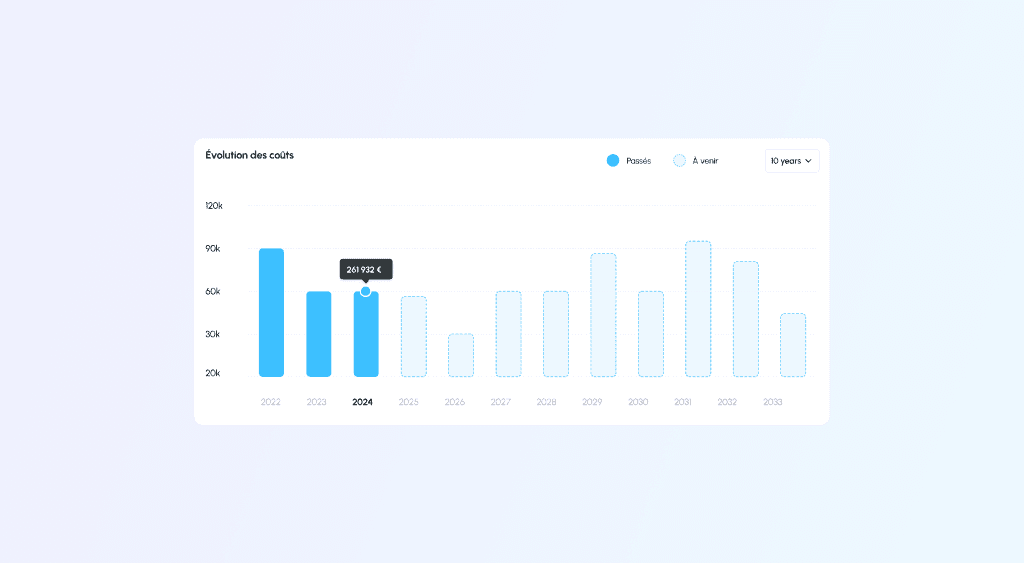
We have enhanced the "Finance" dashboard in Kabeen to allow you to project your contract costs into the future. This feature provides a clear view of upcoming expenses related to your applications.

You can now obtain a cost projection for licenses, subscriptions, and associated services (training, integration, etc.) for the next ten years.

In addition to the annual view, you can visualize costs for each quarter and each month, providing detailed granularity of your expenses.

How to use this feature

  1. Access the Finance dashboard Navigate to the "Finance" section in Kabeen and select the dashboard.

  2. Configure the projection period Choose the desired projection period (up to 10 years) to get a complete view of your future expenses.

  3. Analyze costs View projected costs by year, quarter, or month. Use filters to explore details of licenses, subscriptions, and associated services.

Benefits of cost projection

  • Budget planning: Anticipate your expenses and prepare your budgets more accurately.
  • Resource management: Identify periods of high costs and plan resources accordingly.
  • Decision support: Use projections to make informed decisions about necessary investments and rationalizations.

For more information on this new feature, visit our help center or contact our support team.

Read more
FinanceFlows

Enhanced Data Flow

Data flows benefit from new features for better documentation and traceability.

Improvements

Enriched technical details

Document each flow precisely with:

  • Protocol: HTTP, SFTP, REST API, etc.
  • Encryption: Type of encryption used
  • Data format: JSON, XML, CSV, etc.

Centralized documentation

Each flow can now be accompanied by its complete documentation, directly accessible in Kabeen.

Improved visualization

Flows are now represented more clearly in architecture diagrams.

Read more
ContractsFinance

Enhanced Contract Management

Contract Details in Kabeen

We are pleased to announce significant improvements to our contract management in Kabeen, allowing you to enter more detailed and comprehensive contract information for each application. These new features are designed to help you meet your contractual obligations and analyze the gap between your subscriptions and actual usage.

New Features

User Subscription Tracking

Identify the number of users subscribed to each contract. This feature allows you to monitor user allocation and ensure compliance with license agreements or compare it to actual usage.

Notice Period

Define and track the notice period for each contract. This allows us to indicate the true contractual deadlines and avoid last-minute surprises during renewal.

Cost Allocation and Subscription Details

Specify who subscribed to the contract and allocate costs to the appropriate entity within your organization. This ensures clear accountability and accurate financial tracking.

How to use the enhanced features

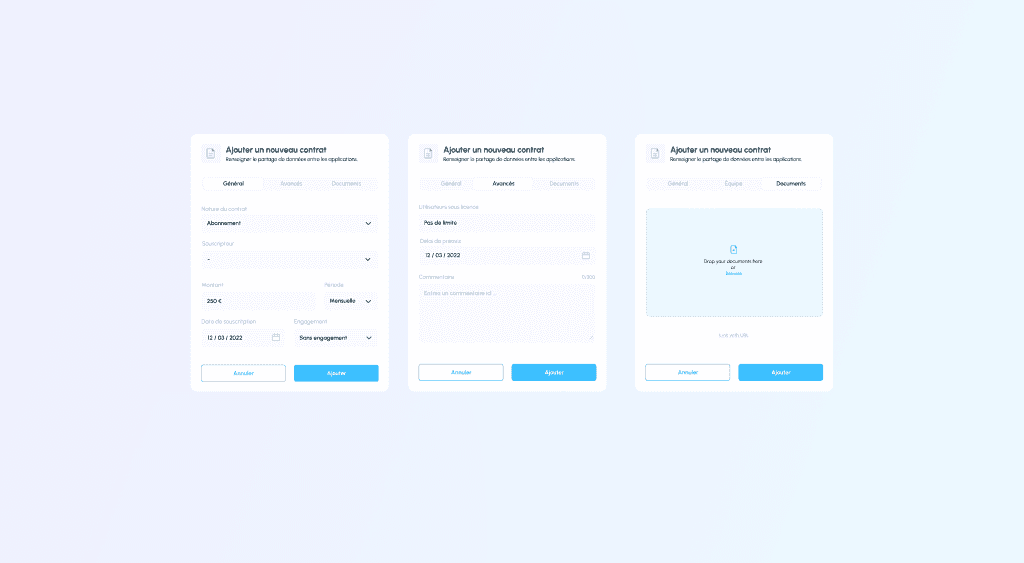
  1. Add contract details Navigate to the "Contracts" section in the application and select "Add new contract". Fill in the general information, including contract type, subscriber, amount, and subscription date.

  2. Advanced settings In advanced settings, you can specify the number of licensed users, notice period, and any additional comments or notes related to the contract.

  3. Team and document integration Assign the contract to the relevant team or entity within your organization and upload supporting documents directly to the contract record.

These improvements provide a comprehensive view of your contracts, making it easier to manage and track all aspects of your contractual obligations.

Read more
ReportsAnalysis

Application Comparison

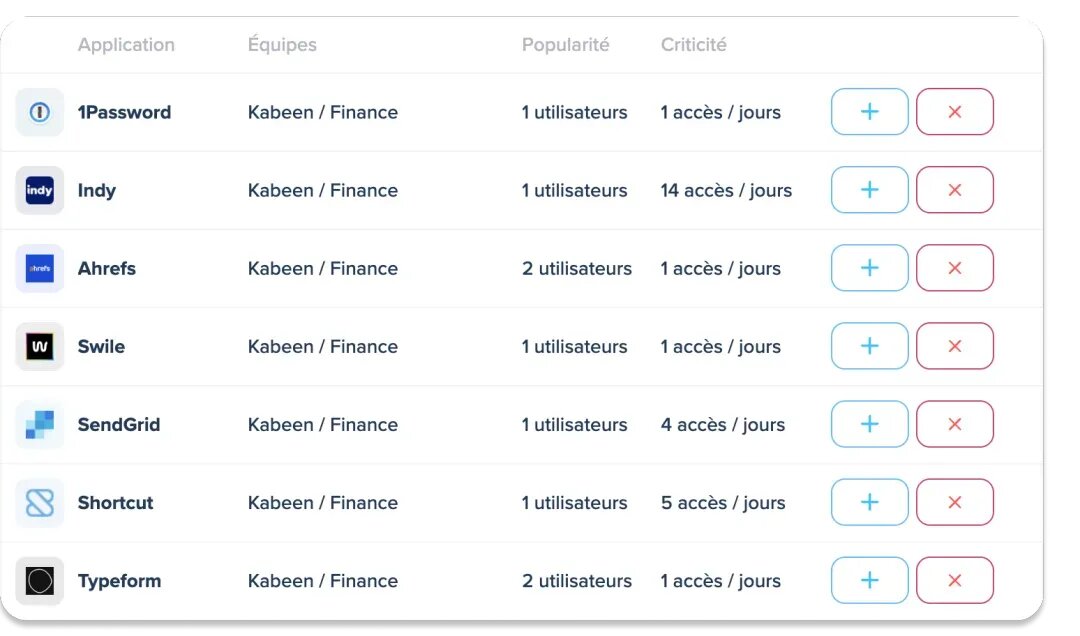
The Application Comparison Report allows you to compare two applications side by side to identify redundancies and optimize your portfolio.

Comparison criteria

Compare on the following axes:

  • Health status: Availability and stability
  • Performance: Response time and load
  • Number of users: Adoption and usage
  • Satisfaction: User feedback
  • Cost: Licenses and maintenance
  • Complexity: Architecture and integrations

Use cases

  • Rationalization: Identify which application to keep when two do the same thing
  • Modernization: Compare old and new solutions
  • Benchmark: Evaluate alternatives before a strategic choice
Read more
UsageDiscovery

Usage Discovery

Application Usage Discovery in Kabeen

We are constantly seeking innovation to help you improve your application management and tracking. We are excited to introduce our latest feature: Usage Discovery: This new feature provides automatic insight into which teams are using applications within your organization.

How it works

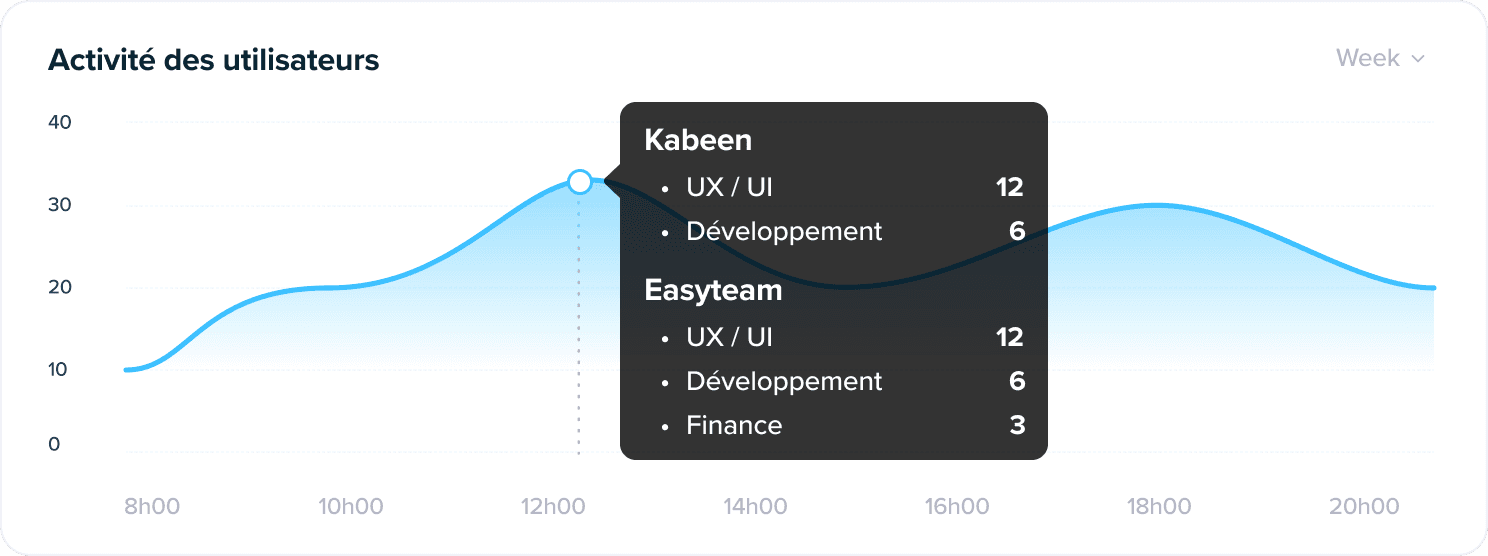
Automatic usage discovery relies on our Kabeen agent deployed on user workstations. This agent tracks application usage in real-time, and when user activity is detected, Kabeen updates the application's "Usage" tab.

This feature allows you to visualize real-time application usage across your entire organization, facilitating the process of managing and maintaining your application mapping.

Validation process

To ensure data accuracy, this feature requires confirmation from a Kabeen administrator to validate adding a team to an application. This step is crucial:

  1. Integrating an application into the team's mapping highlights the application in the Kabeen agent favorites.

  2. The business matrix will then display this team as a "user" of the application.

  3. It is entirely possible that the detected usage is temporary and that the team does not use the application on an ongoing basis.

Benefits

This feature will strengthen your tracking by showing which teams frequently use specific applications. It helps identify key applications that support your business processes.

It will be particularly beneficial in environments where projects and team roles are dynamic, making it difficult to track constantly evolving application usage patterns. It will also ensure your application mapping stays up to date.

Automatic Usage Discovery is already available on the Kabeen platform. To start using this feature, visit the "Usage" tab of your applications.

Read more
RoadmapUrbanization

Application Roadmap

Application Roadmap

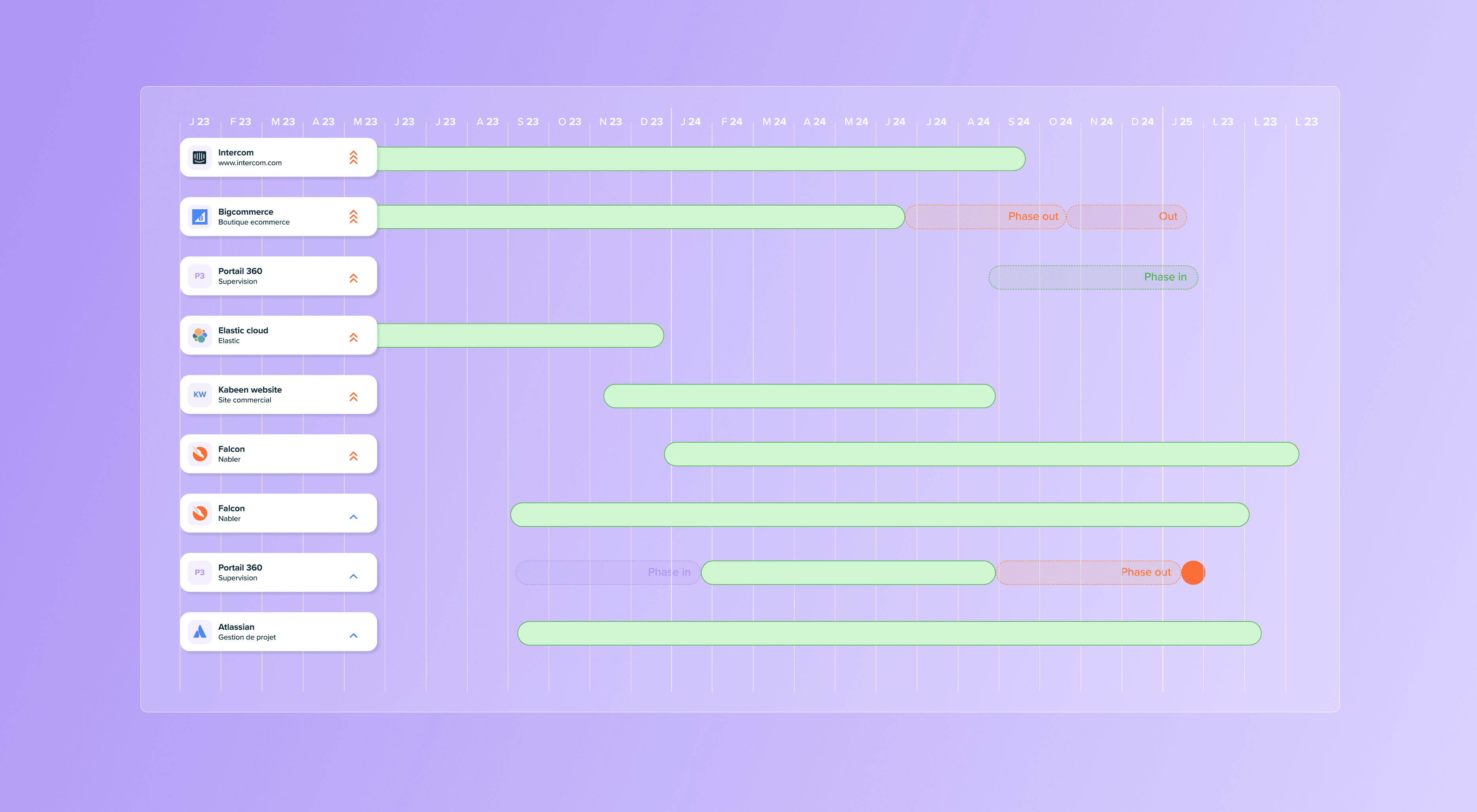
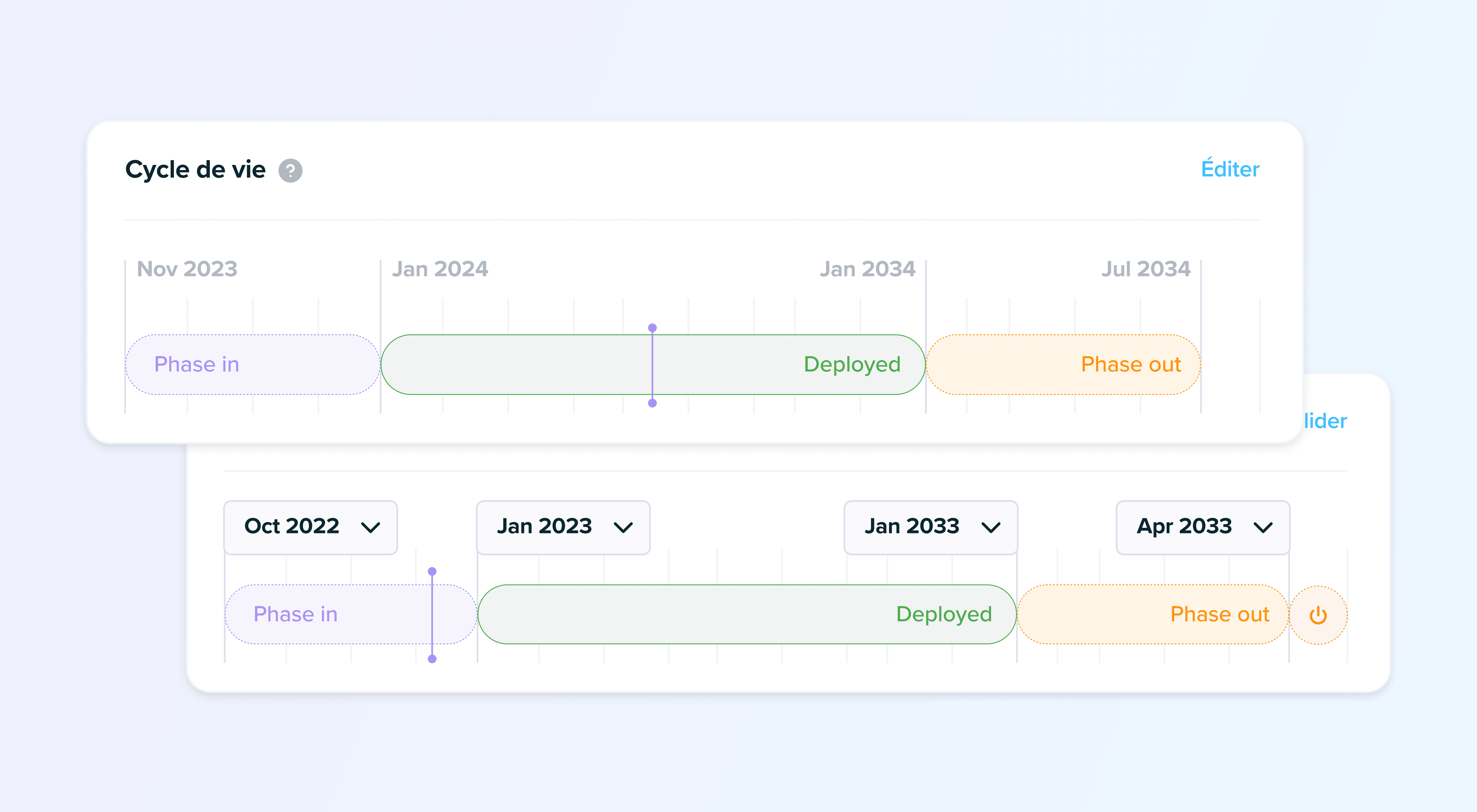
The Application Roadmap is a new report available in Kabeen that groups all your applications and their lifecycles.

What you can do

From this view, you can:

  • Identify and track applications being deployed and associated phases such as planning an integration or developing a new business software.

  • Anticipate contract expirations to conduct your tenders on time or calmly renew the best applications.

  • Build your master plan and your organization's digital strategy for the next 3, 5, or 10 years.

Filters and customization

Like all reports available in Kabeen, the Application Roadmap has filters to help you focus on the elements that matter to you:

  • A particular team
  • The highest business criticalities
  • A specific functional domain

By default, we only display applications for which the lifecycle has been specified.

This new view helps you effectively manage your information system transformation and clearly communicate your IT strategy.

Read more
OnboardingAgent

Onboarding

User onboarding in Kabeen

Discover the new Kabeen user onboarding, designed to instantly immerse you in operational efficiency.

User agent deployment

Our revamped integration process now includes user agent deployment, a key step that activates the power of application autodiscovery.

From the very first moments, you'll be able to observe the immediate benefits of automatic application detection, which significantly simplifies and accelerates the mapping of your IT environment.

An optimized experience

This new onboarding system is designed to quickly give you a complete overview of Kabeen's capabilities, allowing you to get the most out of our platform from the start.

  • Quick start: Start mapping your IT in minutes
  • Autodiscovery: The agent automatically detects applications in use
  • Immediate value: Visualize your applications from the first login

Visit our updates page to learn more and start your experience with Kabeen like never before!

Read more
AnalysisVisualization

Application Matrix

Application Matrix

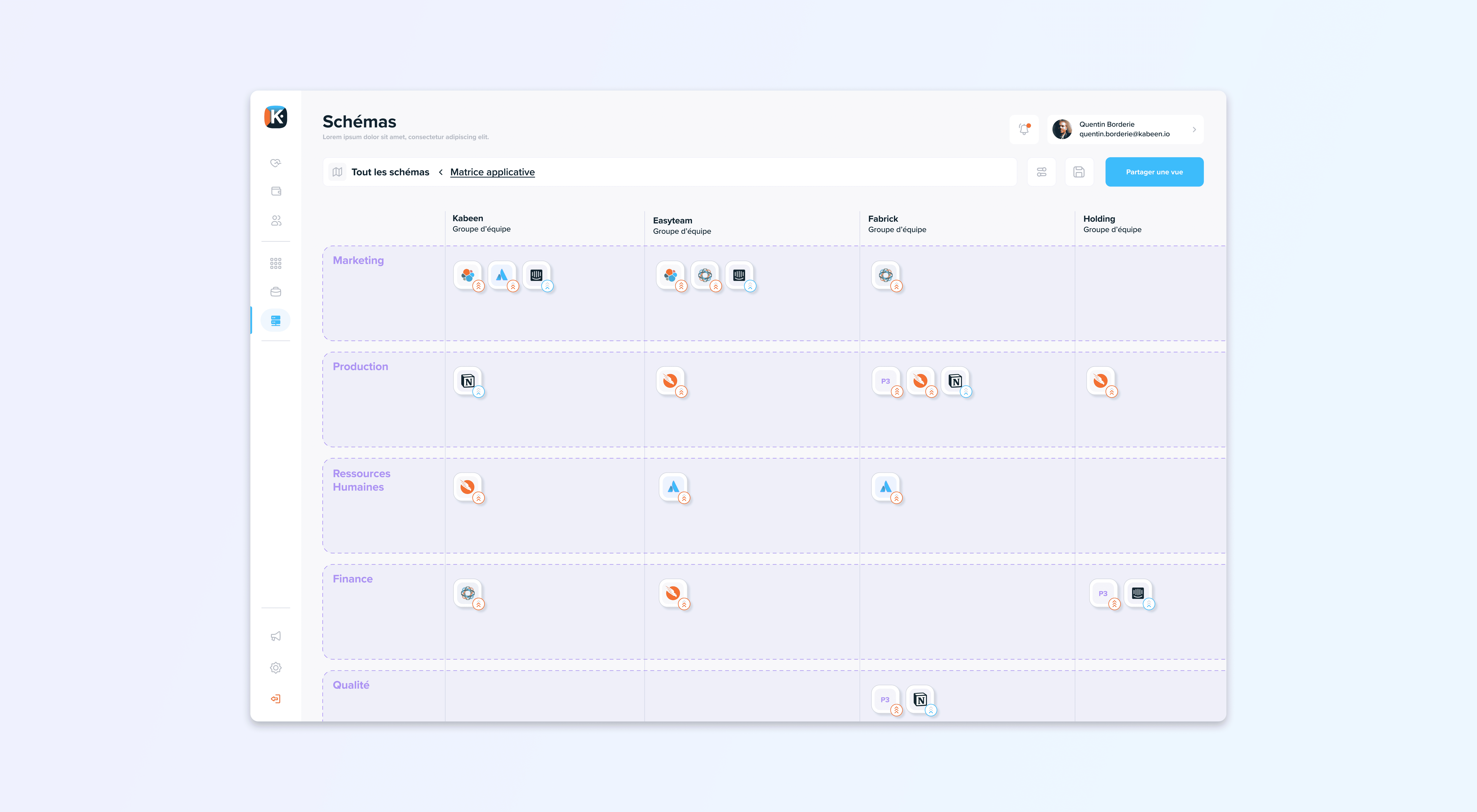
Our latest update allows you to automatically generate a new view of your applications. The application matrix enables comparison of application usage between teams or business units according to each category.

Features

Inter-team comparison

It then becomes possible to distinguish unique usages or, conversely, redundant applications in your information system.

Advanced filters

Like our other automatic analyses, filters are available, guiding your focus to the right place.

Native export

The export of this matrix, just like the flow diagram, is natively integrated.

Criticality badge

A small bonus: The applications appear with their criticality badge!

Read more
LifecycleManagement

Application Lifecycle

Application Lifecycle Management

Tracking an application's lifecycle was one of the most requested features.

Available statuses

Each application now has a status (phase in, deployed, phase out, or decommissioned) which allows you to:

  • Record applications in integration or development : Track projects from their inception
  • Follow decommissioning projects : Plan and execute application retirements
  • Get a global view of the IT application roadmap : A complete dashboard coming soon!

Default behavior

Without specific information, an application adopts an "active" status by default from:

  • The creation date in the inventory
  • Or from its auto-discovery date if applicable

This feature allows you to better manage your application portfolio and anticipate changes in your information system.

Read more
MonitoringPerformance

Application Health

Application Health

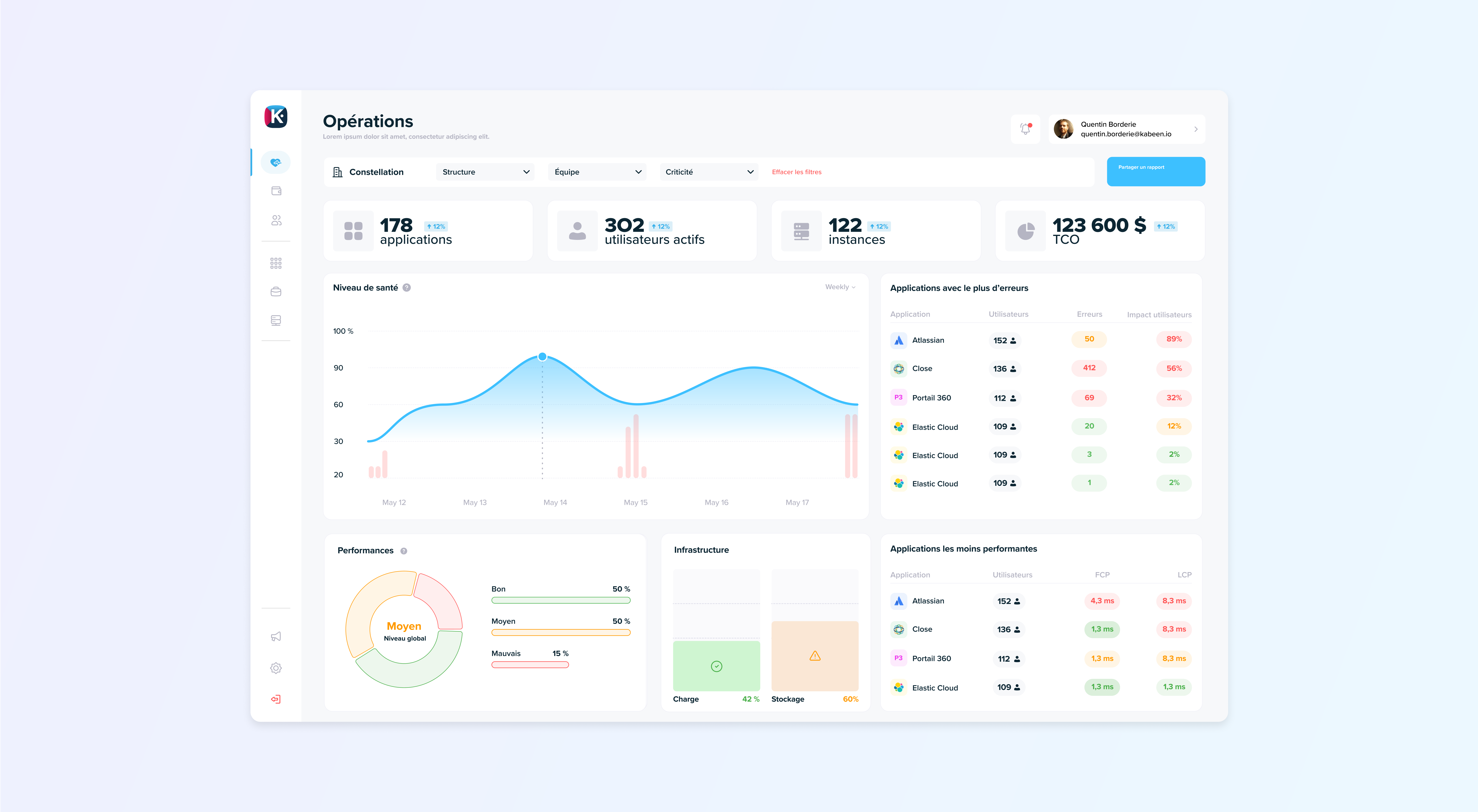
We're excited to introduce a significant update to how Kabeen measures application operational health metrics.

From synthetic to real

We've now switched from synthetic probes to a user-focused perspective.

By using real user monitoring instead of synthetic transactions, we generate a more pertinent and accurate representation of application health.

Benefits

This shift means that the metrics we now offer are based on actual end-user experiences, ensuring that system health evaluations align more closely with real-world performances.

The advantage of this approach is twofold:

  • Accurate detection: We detect and address issues more accurately and efficiently
  • User-centric approach: We promote a user-centric approach, increasing overall satisfaction

These updates will vastly improve usability and the overall user experience in Kabeen.

Read more
ExportDiagrams

PDF Export of Flow Diagram

PDF Export

You now have the ability to generate a PDF document of your flow diagrams directly from Kabeen.

Benefits

Easy sharing

This offers unprecedented ease of sharing, whether for presentations, reports, or discussions with your teams.

Detail preservation

The exported file retains all the detailed information of the diagram for a comprehensive view of your application structure.

Use cases

  • Presentations: Share your architectures with the management committee
  • Audits: Provide up-to-date documentation for auditors
  • Documentation: Integrate diagrams into your technical documents
Read more
DocumentsInventory

Document Attachment

Document Attachment

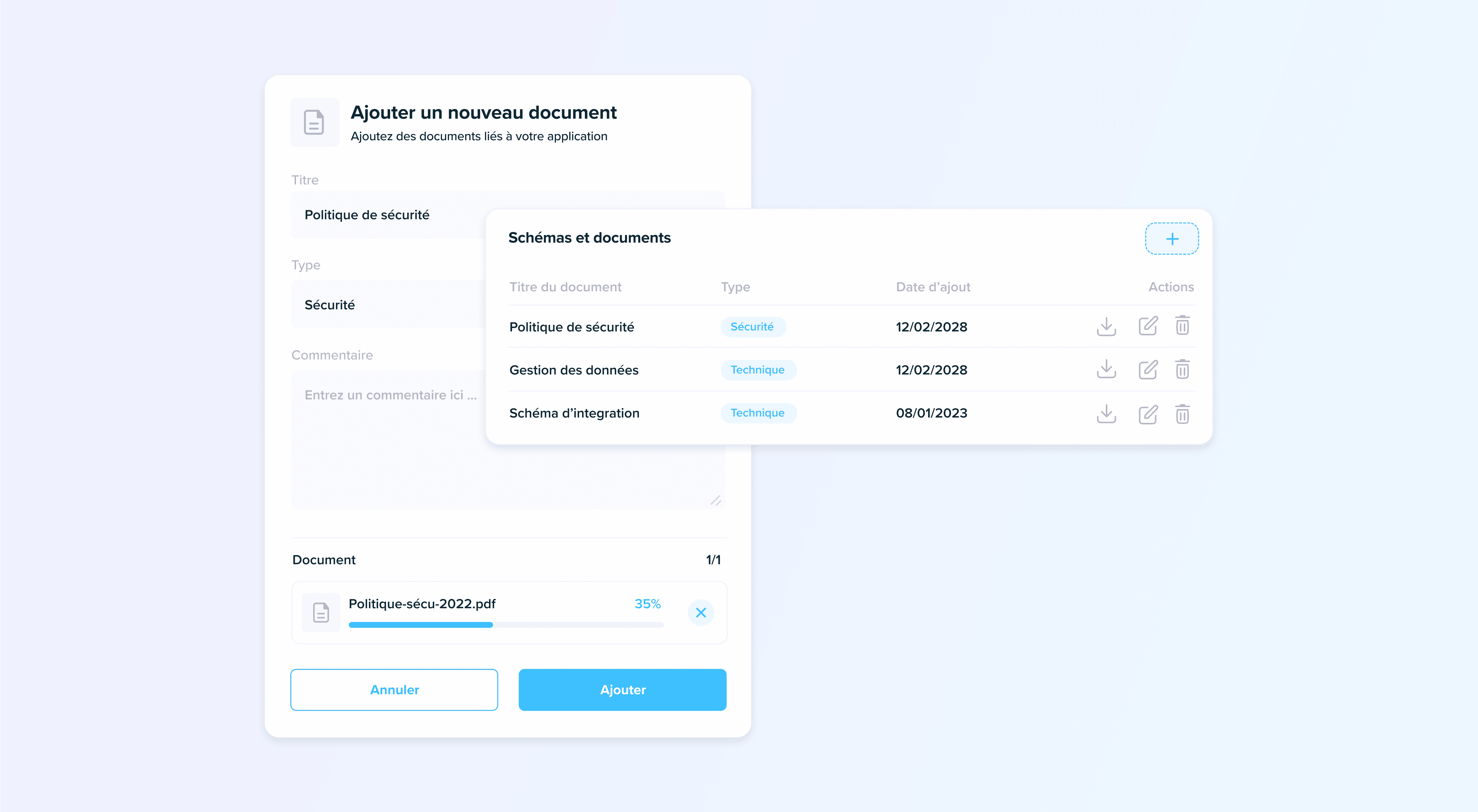
Introducing a new feature from Kabeen that enriches your application inventory by allowing you to attach physical documents or linked URLs.

Supported document types

This could include:

  • Architecture diagrams
  • Operating documents (DEX)
  • Technical architecture documents (DAT)
  • And much more

There's no limit to how many documents you can add to each application.

Links to external systems

If your document is hosted in a Document Management System (DMS) or in a web application, you can also add it in the form of a link within Kabeen.

This ensures all your relevant documentation is in one place, aiding productivity and streamlining processes.

This feature allows you to centralize all documentation related to your applications, making it easier for all stakeholders to access information.

Read more
NavigationUX

The New Navigation: Clearer and Simpler

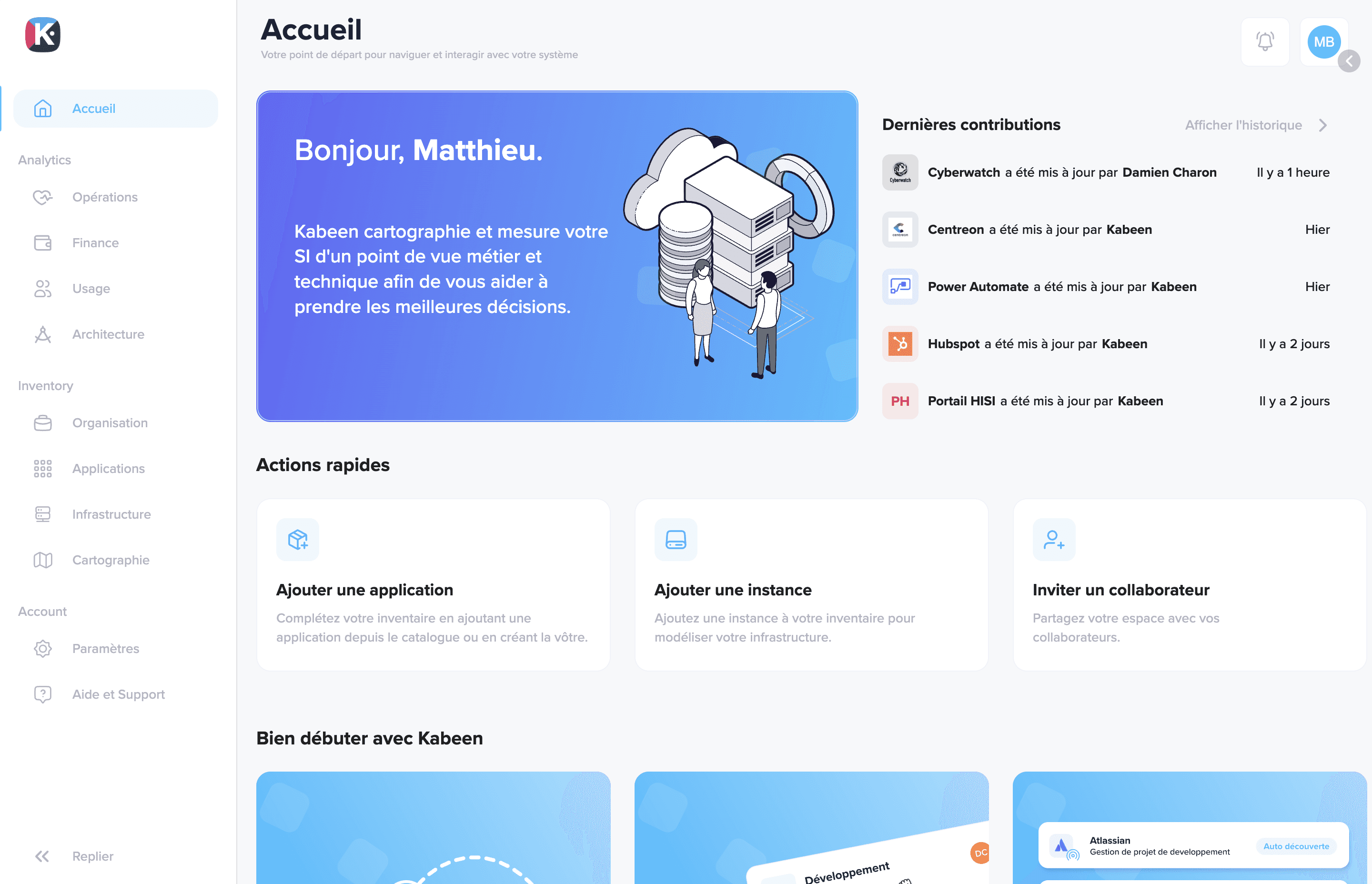
Kabeen homepage with new navigation menu

We are excited to present our new navigation. Continuously seeking to simplify the use of our platform, we have redesigned the menu organization and introduced an expanded version that offers greater clarity.

An improved overview

This new configuration was designed to give you a more complete overview and immediate access to all sections.

Centralized support

It has also allowed us to centralize all help and support in a single point. You can now find all documentation resources, training, or chat in the same place.

Key benefits

  • Quick access: All sections are accessible in one click
  • Clear organization: Menus are logically structured
  • Integrated support: Documentation, training, and assistance in the same place
  • Clean interface: Modern and intuitive design

This navigation redesign significantly improves the user experience and allows you to find what you're looking for more quickly.

Read more
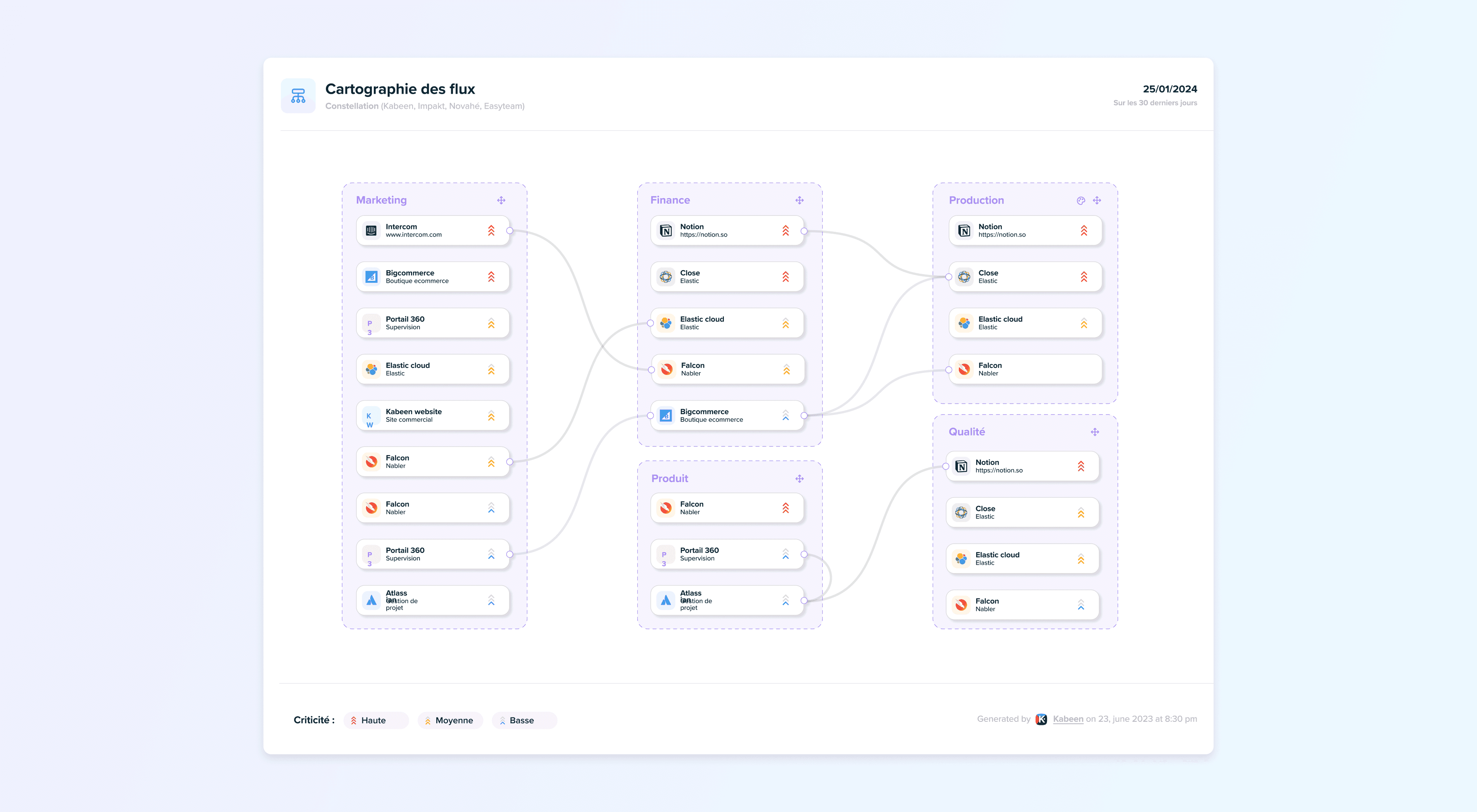
MappingDiagram

Application Diagram Redesign

Application Diagram Redesign

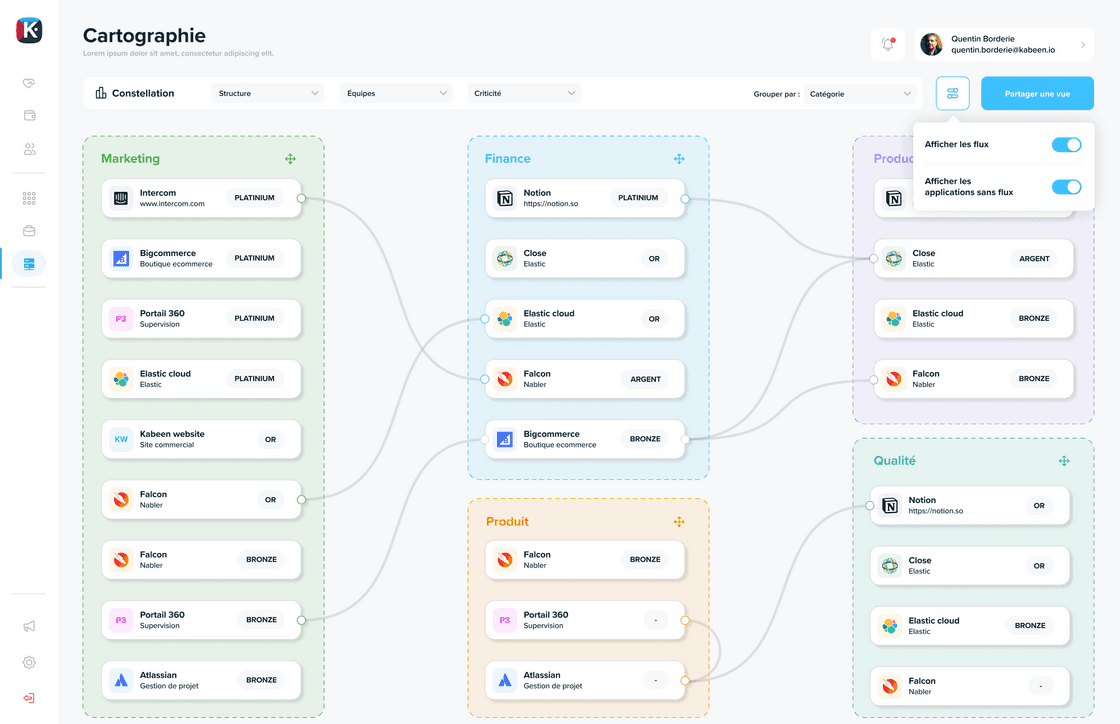
We have taken your feedback into account to redesign the automatically generated application map in Kabeen.

New features

Custom grouping

It is now possible to group applications according to your choice:

  • By functional domain
  • By team
  • By criticality
  • By hosting type

Data flow display

You can hide data flows for a more condensed and readable diagram.

This flexibility allows you to adapt the visualization to your needs:

  • Synthetic view: Without flows for a global vision
  • Detailed view: With flows to understand interdependencies

These improvements make the map more readable and more useful for communicating with stakeholders.

Read more
AnnouncementsCommunication

Announcements in Kabeen: Capture Your Users' Attention

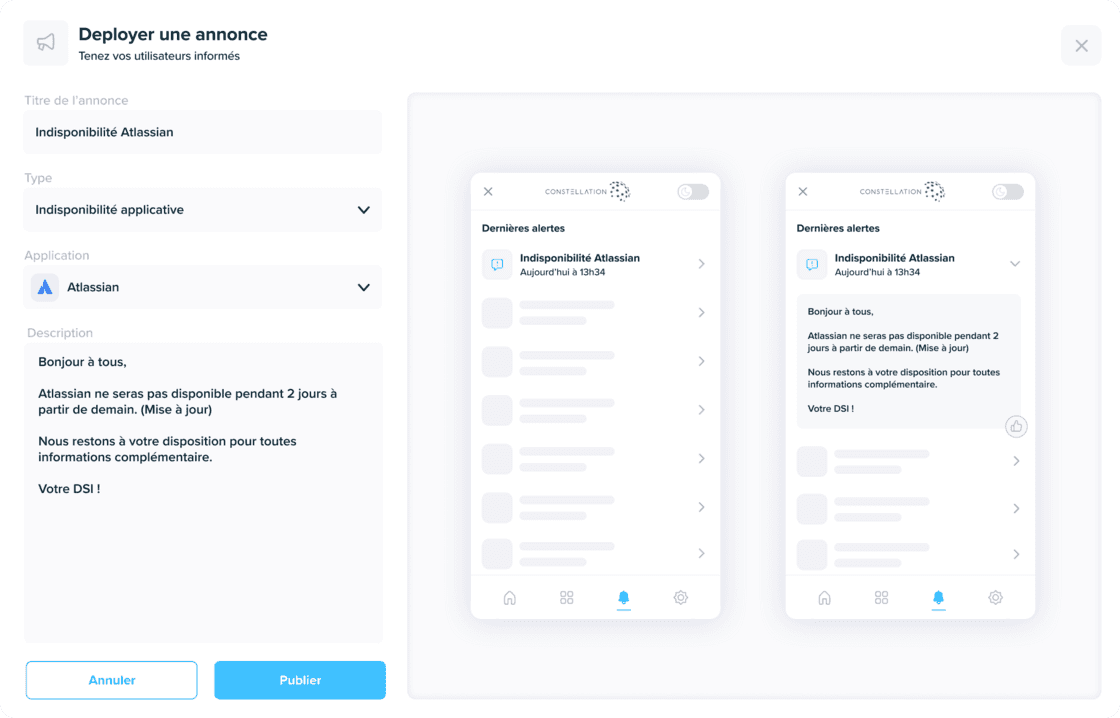
Screen to configure user announcements in Kabeen

Do you want to inform your users about the latest updates, scheduled maintenance, or important information about their favorite applications? Stop using email.

Use Kabeen to communicate

Use Kabeen to deliver messages directly from their applications through our browser extension.

With the new Announcement Publishing feature, each application manager can share essential information directly to you, users. These non-intrusive announcements reach you directly in their favorite applications.

Benefits

  • Targeted communication: Announcements appear in the context of the relevant application
  • Non-intrusive: Users can view announcements at their convenience
  • Always up to date: No more surprises, you're always informed of changes

This feature improves communication between IT teams and end users, making application management more transparent.

Read more
ArchitectureDashboard

Architecture Dashboard

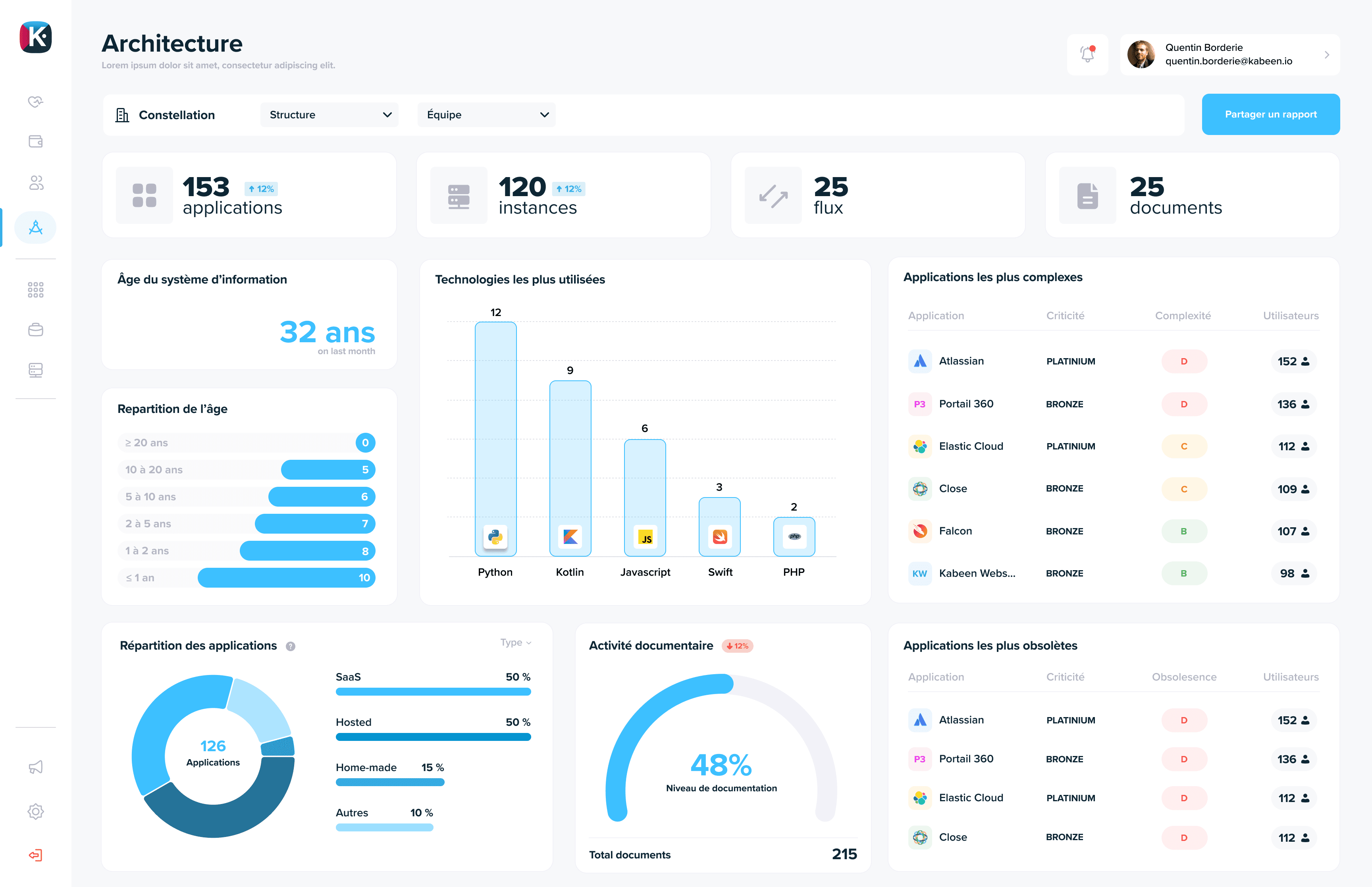
IT Architecture Dashboard with application age, technology summary, and application complexity measurement

Our new Architecture feature goes even further with detailed analysis of the technologies you use, the age of your information system, obsolescence evaluation, and application complexity.

Redesigned interface

We have also redesigned the architecture tab of each application for a cleaner design and more intuitive use.

With Kabeen, know exactly where you stand and plan your future IT strategy.

Use cases

🏚️ Application urbanization

Contain the technical debt of your applications by prioritizing your projects using the obsolescence score.

📖 Track documentation level

Use the documentation level as a key IT department indicator!

This feature helps you make informed decisions about the evolution of your application portfolio.

Read more
OrganizationTeams

The New Organization Page: Simpler and More Flexible

Business organization modeling with teams and user groups

We are excited to present our brand new Organization page.

We designed it to be more intuitive, making understanding your business organization easier than ever.

More flexibility

Additionally, this new interface offers greater flexibility in defining user groups. You can now create, modify, and manage user groups with unprecedented ease.

Explore this new page and enjoy the simplicity and flexibility it offers.

New organization modes

🏢 Organization by establishment

Some organizations prefer to analyze their IT through geographic establishments (sales offices, factories, etc). This is now possible.

🌎 Organization by country

International deployment complicates reading the information system. We offer the possibility to structure user groups by regions or countries.

This flexibility allows you to adapt Kabeen to your organization's actual structure.

Read more
UsageReal-time

Real-Time Usage Measurement

Real-time measurement of application usage in the information system

We have initiated foundational work aimed at displaying all your metrics in real-time. This is a significant advancement that will allow us to deliver value very quickly through monitoring key IT indicators.

Real-time usage indicators

We started with usage indicators, including the number of users per application.

Now, you can see these data update as soon as an employee uses an application.

This is just the beginning

This is just the beginning, and we look forward to offering real-time updates of other key metrics in the future.

Benefits

  • Responsiveness: Detect usage changes immediately
  • Accuracy: Data always up to date, no lag
  • Quick value: Get insights as soon as deployment

Stay connected to discover these new features!

Read more
Auto-discoveryShadow IT

Discover Your Apps with Auto-Discovery

Auto-Discovery

With app auto-discovery, you can now automatically discover undocumented apps and add them to your inventory very easily.

Benefits

This functionality is a real asset for companies that have to manage a large number of applications and have difficulty keeping their mapping up to date.

Indeed, auto-discovery makes it possible to detect applications that are not documented and which may cause security problems. By adding them to your Kabeen inventory, you can easily track them and update them as needed.

How it works

Our solution is based on a browser extension that analyzes the use of applications by company users anonymously and securely.

Only professional applications are detected.

Availability

You will find this extension in the Chrome Web Store, and soon on Safari and Firefox!

Read more
UXMobile

New Login Page

New Login Page

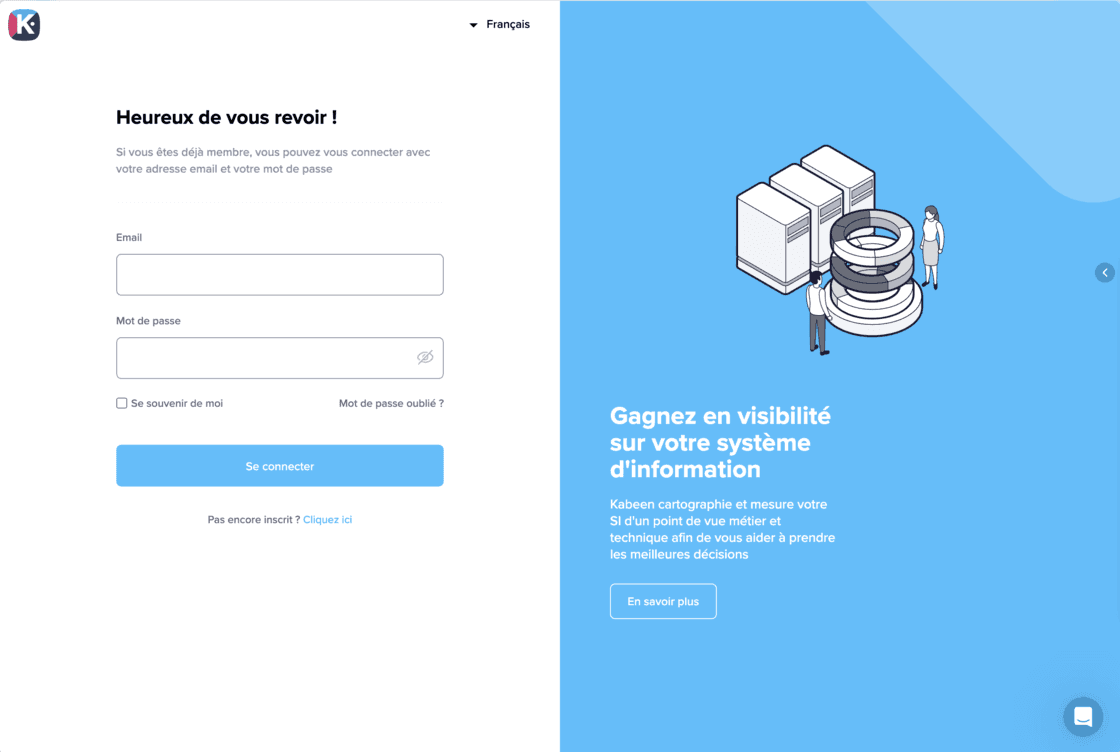
We are offering you today new login and signup pages that are brighter but above all adapted to the format of your mobile phones!

What's new

Responsive design

An interface adapted to all screens, from desktop to smartphone.

PIN code confirmation

We inaugurate a new confirmation of your new account through a PIN code, for enhanced security.

Modernized interface

A clearer and more modern design for a better user experience.

Read more

Can't find what you're looking for?

Contact our team